PFM - Getting Started
Personal Financial Management (PFM)
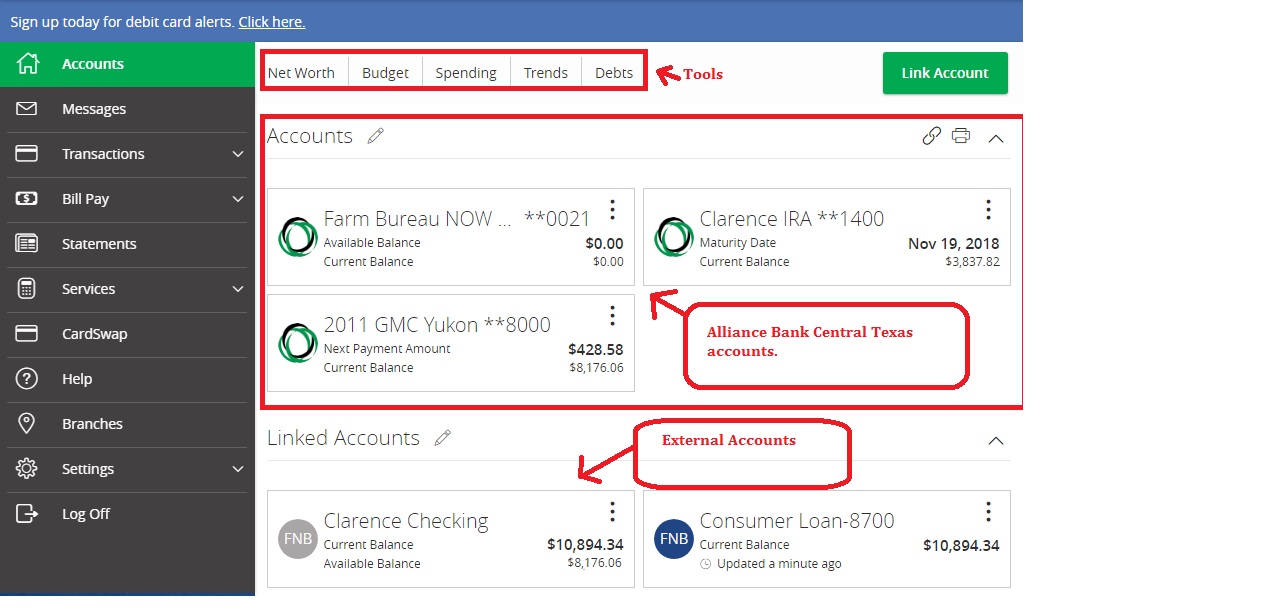
Get a financial snapshot of all your accounts at Alliance Bank Central Texas and other financial institutions—including checking, savings, loans, and retirement accounts—in one convenient screen.
- Create a summary of your complete financial picture with your normal online banking credentials; one web site, one password, one convenient screen!
- Securely access your balance and history from almost any financial institution.
Getting Started
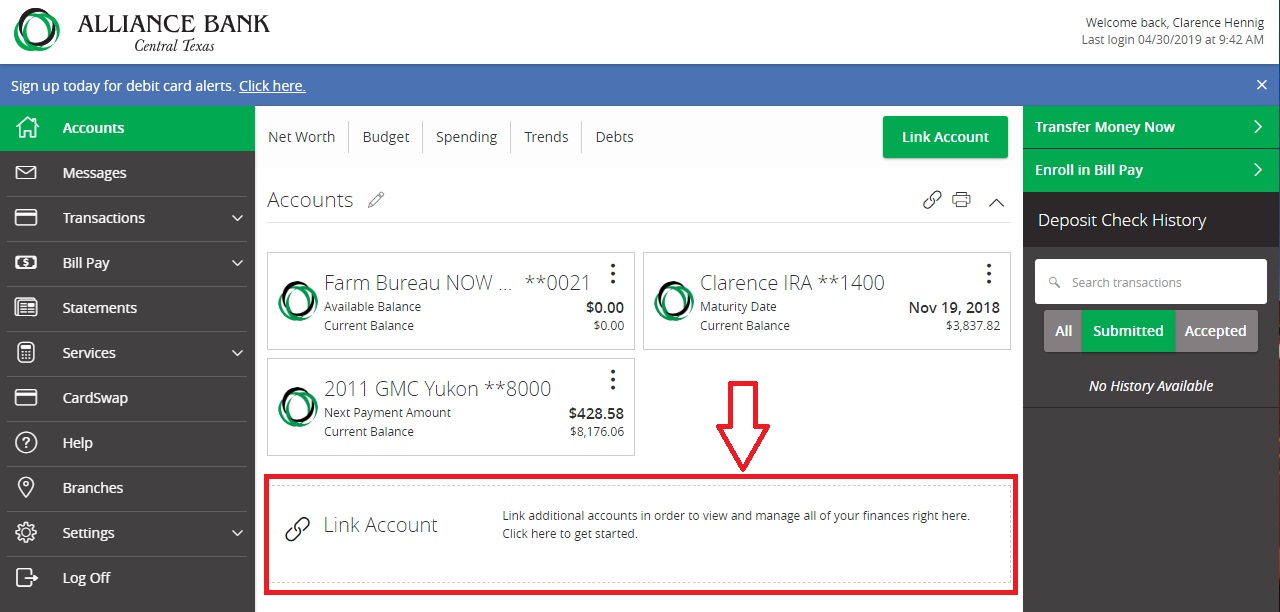
Step 1: Select the "Link Accounts" Button.
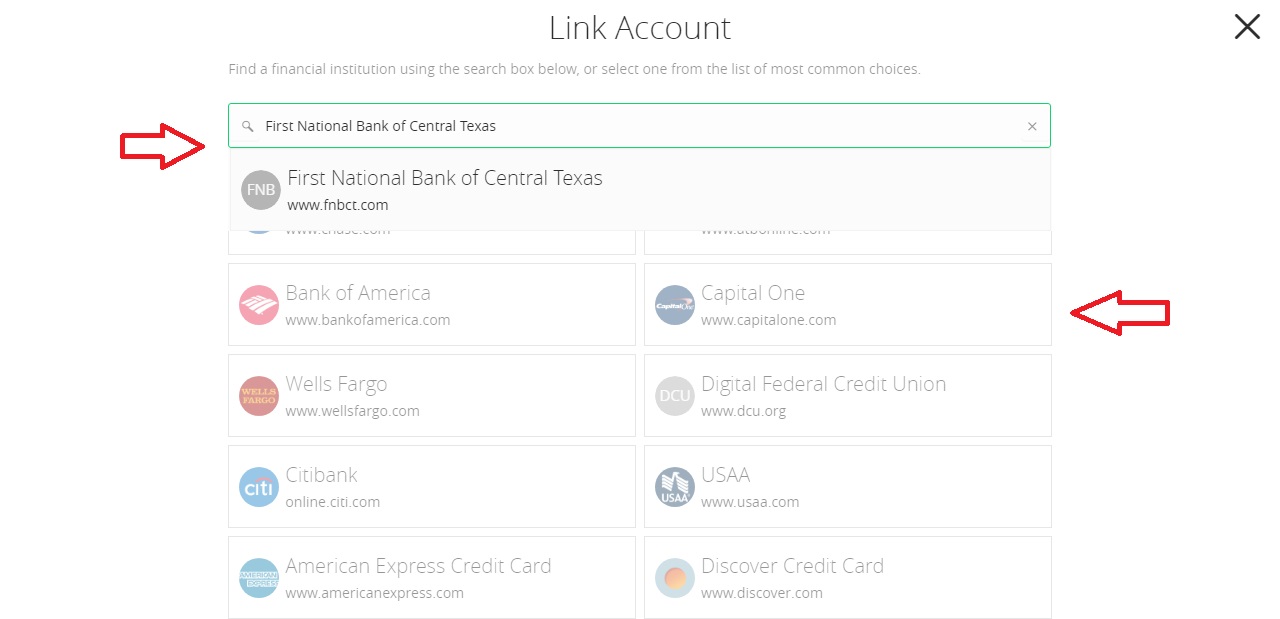
Step 2: Search for the financial institution where you have additional accounts.
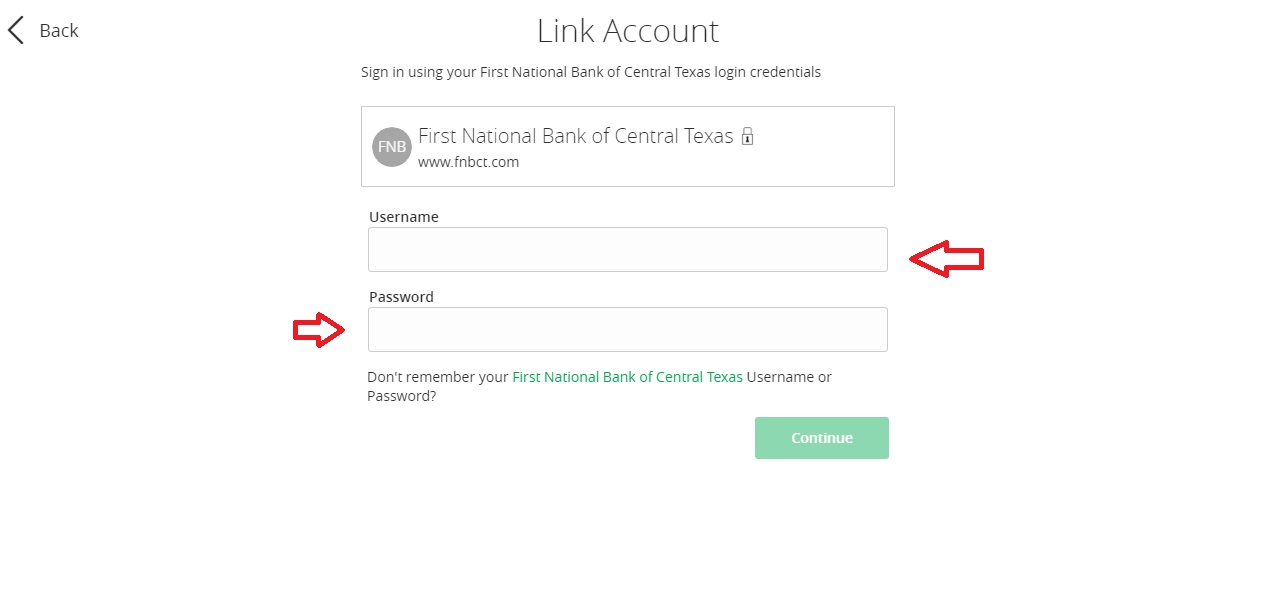
Step 3: Enter your Username and Password for accounts you want to link.
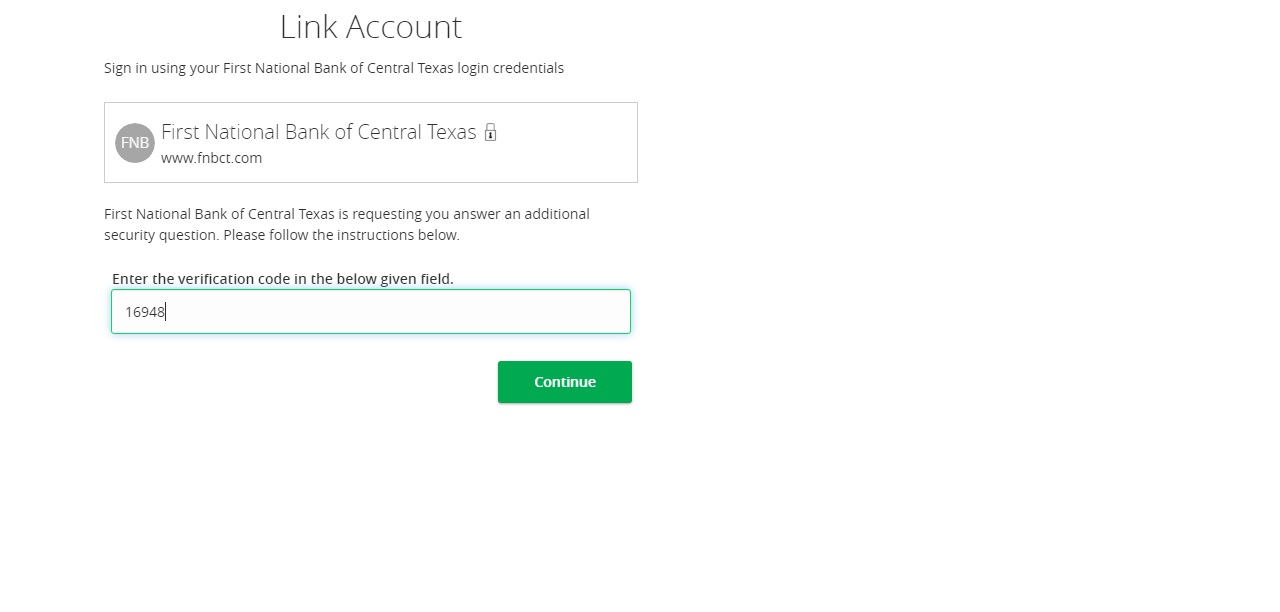
Step 4: You may be asked for additional security questions or the issuance of a security code.

Step 5: Enter in the security code received from your financial institution.
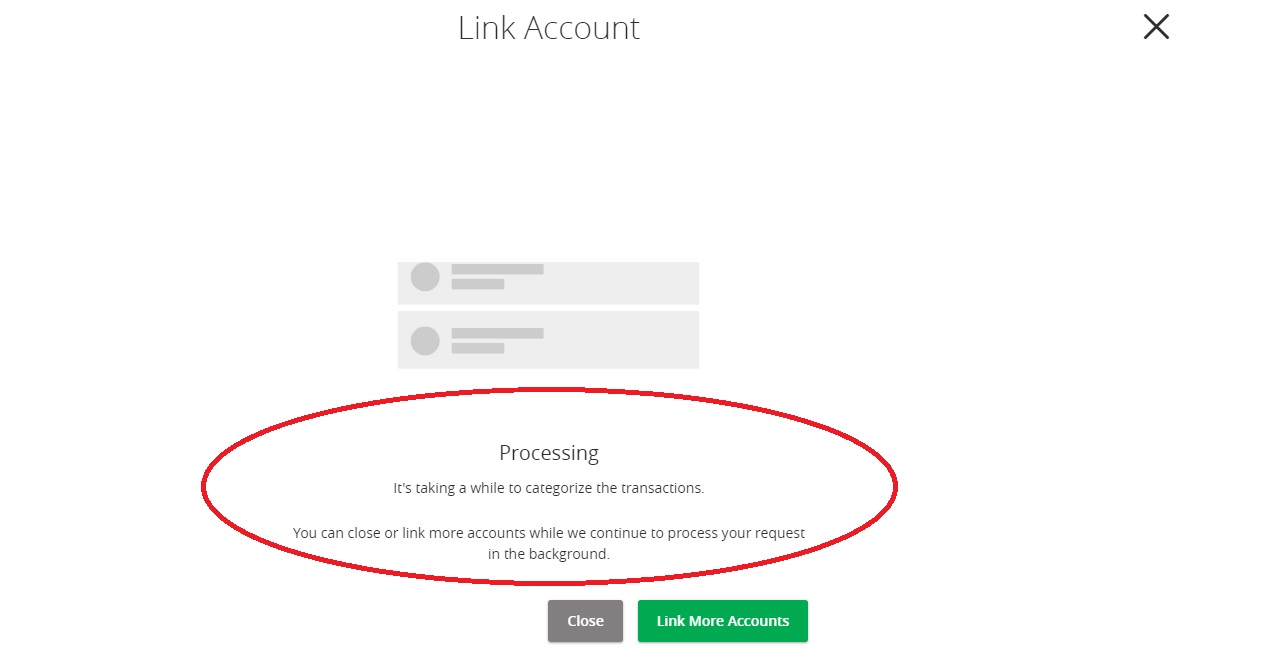
Step 6: System will begin collecting information about your various accounts.
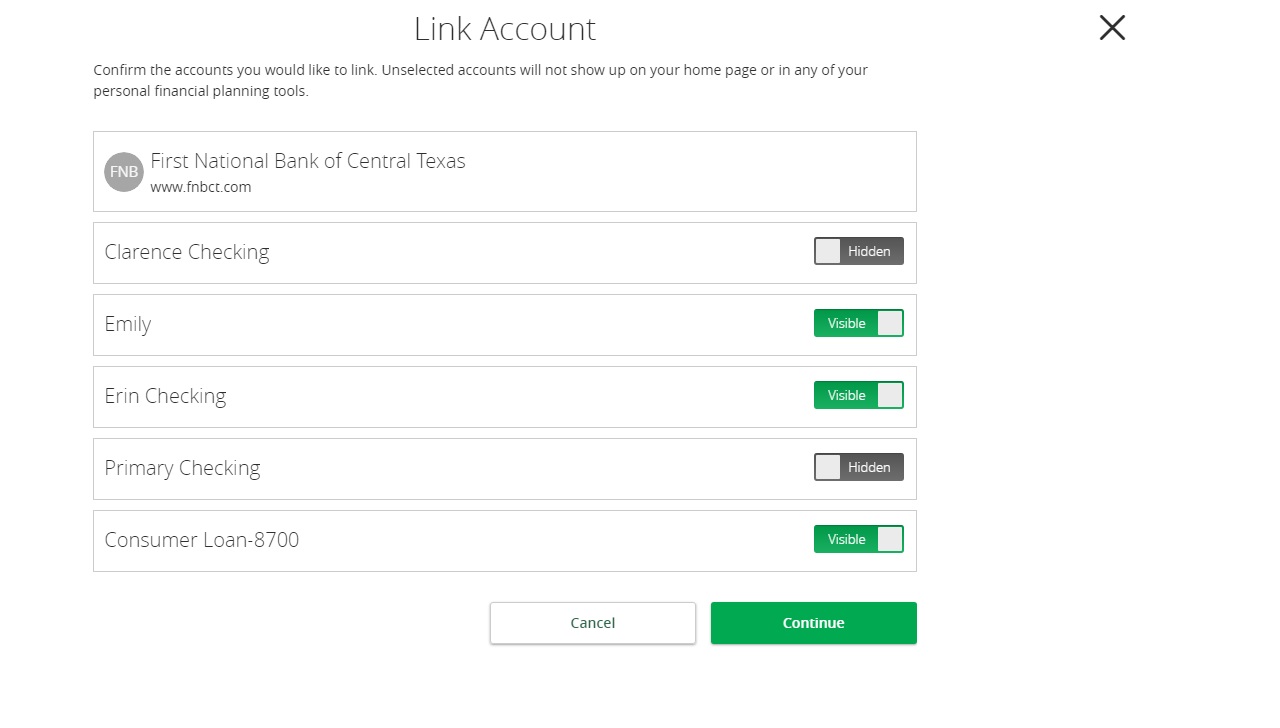
Step 7: Select which accounts you want viewable when accessing Alliance Bank Central Texas online banking.
Step 8: Complete! You can now view both Alliance Bank Central Texas and your external accounts with a single login!
Note the various tools available for expense tracking, budgeting and financial planning.